

·5 min read
Three GPT Image 2.6 workflows: localized edits, SVG, and GIF
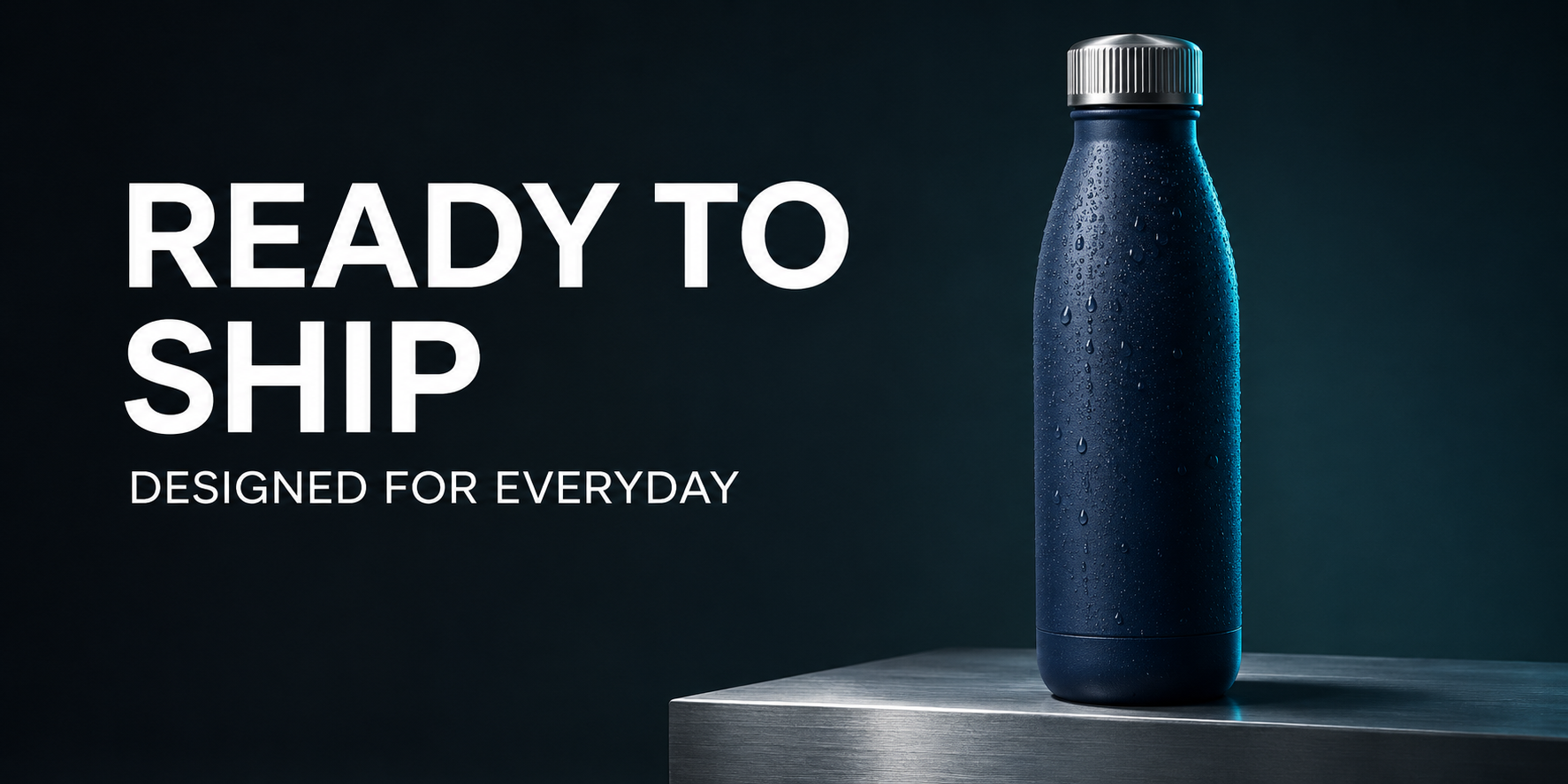
A good product image is often the start of a workflow. Next comes localization, an editable graphic, or a short animation. For design-tool developers and AI studios, those follow-up tasks determine how useful an asset becomes.
According to the OpenAI image generation guide, GPT Image 2.6 Sunburst and Flare support complexity controls, markup-guided edits, SVG output, and animated GIF output. Three practical scenarios illustrate how to plan around these capabilities.
Scenario one: localize the headline without rebuilding the ad
Consider an English product ad with a navy insulated bottle, READY TO SHIP as its headline, and DESIGNED FOR EVERYDAY beneath it. A localized version needs a new headline while retaining the approved product and visual direction.
A request to translate the image leaves the scope ambiguous. A clearer approach identifies the headline region and separately lists the product, subtitle, lighting, and composition to preserve. The marked reference below distinguishes the intended change from the rest of the image.
Supply exact replacement copy rather than asking for an open-ended translation. This example replaces the headline with the Traditional Chinese words 交付驗收 on two lines, retains the English subtitle, and removes the red guide.
The result shows the requested Chinese text, a readable subtitle, and no remaining red rectangle. Product and background appearance remain broadly consistent by visual inspection. This illustrates a localized-edit workflow, not pixel-identical product preservation; inspect packaging and other sensitive details against the original.
The same approach can help with localized covers, campaign-copy variants, and small revisions. Specify what changes, its exact replacement, and what stays.
Scenario two: choose SVG when the next step is editing shapes
Icons and simple illustrations often need recoloring, resizing, and shape changes. A raster image that resembles vector art does not provide the same downstream structure.
The official guide describes SVG generation as static vector output from the generation endpoint. It does not support SVG output from the image edit endpoint or SVG as raster input to that workflow. Confirm generation and editing support separately; see the SVG documentation.
An outdoor-app icon is a useful starting task: request a simple mountain shape, limited colors, and clear contours, then try recoloring and adjusting it in a vector editor. A successful handoff means another designer can continue the work. This is an application direction; the raster ad above is not an SVG result.
Scenario three: use GIF for a small, coherent motion loop
A loading indicator, rotating object, or subtle campaign motion may need a short loop rather than a full video workflow.
The official guide describes animated GIF generation with motion and looping instructions. GIF output belongs to generation, not the image edit endpoint. Check frame, size, and timing controls in the GIF documentation.
For a rotating progress ring, define a fixed camera, stable central object, consistent motion, and a natural return to the starting point. Review the entire animation for jumps, distortion, and lighting changes. A still preview cannot establish animation quality; no generated GIF sample is presented in this article yet.
Use different acceptance criteria
Localized editing needs correct text and preserved content. SVG needs usable vector structure. GIF needs coherent motion and a clean loop. Visual appeal alone cannot answer all three questions.
Start with a real asset need, define its required format and preservation constraints, and validate a narrow workflow. A third-party provider also needs to support the relevant model, endpoint, and parameters; model-level documentation alone does not prove that integration is available.
Frequently asked questions
Must an existing ad be regenerated completely?
For a copy change, try a bounded edit with an explicit region and exact text, then inspect the product and subtitle.
Can a generated SVG go straight into image editing?
Do not assume so. The documented raster-edit workflow does not accept or produce SVG; plan vector editing separately.
Is an attractive first GIF frame sufficient?
No. Review full playback, especially the loop boundary, subject consistency, and pacing.
Information and asset notes
Official capabilities and format restrictions were checked November 5, 2026. The three raster images are actual generated baseline, marked reference, and edited examples. They carry no verifiable model identification and are not evidence of a particular model's performance. SVG and GIF sections describe documented capabilities and workflows; corresponding generated test assets are not shown.